How to Change Sheet Color in Excel: The Ultimate Step-by-Step Guide
Changing the sheet color in Excel is one of the quickest ways to transform the look of your workbook and improve data organization. While the default white grid is functional, a well-chosen background color reduces eye strain and creates a visual hierarchy that guides the user’s eye immediately to the most important data. This process is straightforward, but understanding the nuances between changing the tab color and the actual worksheet background ensures you achieve the exact aesthetic you need.
Applying Color to the Worksheet Tab
The most common interpretation of "sheet color" refers to the color of the sheet tab at the bottom of the workbook. This is the primary method for differentiating between multiple worksheets without opening them. By assigning distinct colors to tabs, you create an intuitive navigation system that significantly boosts productivity when working with complex files.
Using the Ribbon Interface
The easiest method to change the tab color involves Excel's intuitive Ribbon interface. This approach is recommended for users of all skill levels because it requires no formulas or coding. The color you apply here acts as a label, allowing you to group related data sets visually. Follow these steps to apply color via the Home tab:


- Select the worksheet tab you wish to modify by clicking on it.
- Navigate to the Home tab in the Ribbon menu.
- Locate the Cells group and click on Format.
- Choose Tab Color from the dropdown menu.
- Select your desired shade from the palette to apply it instantly.
Using the Right-Click Context Menu
For a faster alternative that bypasses the Ribbon, the context menu provides direct access to tab coloring options. This method saves time by reducing the number of clicks required, making it ideal for quickly adjusting colors during a workflow. The functionality is identical to the Ribbon method, but the streamlined interface feels more efficient for experienced users.
Customizing the Color Palette
If the standard colors do not match your brand guidelines or personal preferences, Excel allows for custom color creation. This is particularly useful for corporate environments that require strict adherence to specific color schemes. By accessing the web colors or creating a custom hue, you ensure that your spreadsheets align perfectly with your organizational identity or design standards.


Coloring the Worksheet Background
Coloring the actual sheet background is different from coloring the tab and serves an aesthetic purpose rather than a organizational one. This technique is often used for design templates or to soften the stark white glare of the grid. However, because this fills the entire visible area, it requires careful application to ensure that the text remains legible and the data is not obscured.
Page Layout for Background Tints
To change the background of the printed page or the view behind the cells, you must adjust the Page Layout settings. This is the correct way to apply a subtle tint that prints with the document, rather than just covering the gridlines. Note that this setting affects how the sheet looks when printed or viewed in Page Layout Mode, but it does not change the color of the cells themselves if they contain no data.
- Switch to the Page Layout tab on the Ribbon.
- Locate the Page Setup group.
- Click the arrow icon in the bottom-right corner to open the Page Setup dialog box.
- Navigate to the Sheet tab.
- Under Print, click the dropdown arrow next to Background.
- Select a picture or, for a solid color, use the formatting tools within the dialog to apply a solid fill color to the printed sheet.
Cell Shading for Data Emphasis
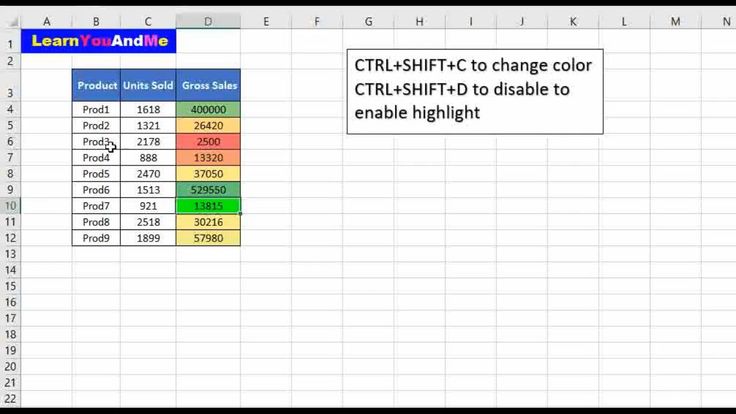
While not technically changing the "sheet" color, shading individual cells is the practical method for adding color to your data blocks. This approach is essential for creating dashboards or financial reports where figures need to be categorized by value or department. By mastering cell fill color, you effectively control the visual weight of your entire workbook.


Best Practices and Considerations
When implementing these color changes, it is vital to maintain a balance between style and functionality. Accessibility should always be a priority; ensure there is sufficient contrast between the background color and the text to make the data easy to read for all users. Furthermore, consistency is key—sticking to a limited palette of two or three brand colors will make your workbook appear more professional and cohesive than a rainbow of random shades.




Related Articles

The Ultimate Coraline Tunnel Color Palette: A Step-by-Step Guide
Exploring the Coraline tunnel color palette reveals a masterclass in animated world-building. The film’s visual design is not merely decorative; it is a...

Lol Surprise Color Change Me & Lil Sis: Ultimate Collector’s Guide
For collectors and fans of the iconic LOL Surprise! franchise, the moment you pull open the packaging to reveal a doll that undergoes a dramatic color change...

The Ultimate Guide to German Shepherd Color Change Pictures: Puppy to Adult Coat Transformation
Observing a German Shepherd color change pictures often captures the attention of new owners, as the puppy in the vibrant red coat suddenly develops black...

The Ultimate Guide to German Shepherd Color Change Over Time
Observing a German Shepherd color change over time is a common experience for many owners, particularly during the dog's formative years. While the classic...

How to Dye Rainbow Roses: Ultimate Step-by-Step Color Guide
The vibrant spectacle of a rainbow rose captures the imagination, transforming a simple bloom into a splash of concentrated color. This captivating effect is...

What Color Do Leaves Change in Autumn? The Ultimate Autumn Foliage Guide
The leaves change to a vibrant palette of reds, oranges, yellows, and browns in autumn. This annual transformation is a breathtaking natural event driven by...